iPadOS 26 is Here: A New Era for iPad Productivity
Apple has released iPadOS 26, and it’s more than just a version bump—it’s a total reimagining of what the iPad can be. This update introduces the stunning Liquid Glass design, Windowing, and Apple Intelligence, bringing the iPad closer to a desktop experience than ever before.
Here is a breakdown of what’s new:
1. Desktop-Class Multitasking & Windowing
The biggest productivity leap in iPadOS 16 is the new Windowing feature, which allows you to arrange windows exactly as you want, even opening and managing up to 12 resizable windows simultaneously. To turn this feature on: Go to Settings-Multitasking & Gestures-Windowed Apps
You also now have Mac-style “traffic light” controls (Red, Yellow, Green) to close, minimize, or maximize apps via the menu bar. You can even “flick” a window to the side of the screen to instantly snap it into a split view.
2. The “Liquid Glass” Aesthetic
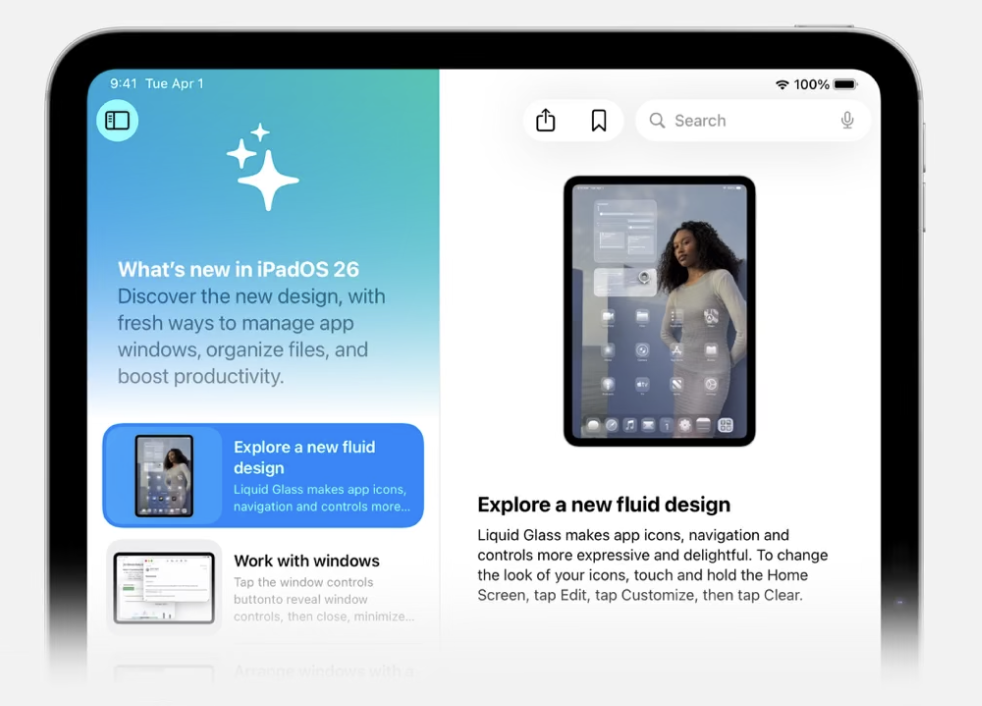
iPadOS 26 looks completely different thanks to Liquid Glass. This design update introduces glass-like optical qualities, making the interface appear to float over your wallpaper.
App icons can now also be tinted, made dark, or even set to a “Clear” translucent look. Your Lock Screen now features a 3D depth effect that makes the subject of your photo pop in front of the clock.
- 💡 Pro Tip: Open the Tips App
 and type “Liquid Glass” in the search field to explore more about these design changes and how to customize your apps.
3. Preview & Enhanced Files
The Preview App has now been introduced on the iPad, simplifying PDF management like never before. You can easily view, edit, export, and share PDFs all in one central location.
Additionally, the Files app on the iPad has received a significant update, making it a powerful tool for managing files. Files now supports resizable columns and custom folder icons (long-press any folder and select “Customize”). You can also drag folders directly into your Dock for instant access (just like on macOS).
4. Apple Intelligence
Everyday tasks are made easier with Apple Intelligence integrated into more apps, helping to enhance your writing, automate tasks, and provide live translation. You can also create and edit original images in the image Playgrounds app.
Click here to. learn more about all the iPadOS 26 Updates have to offer